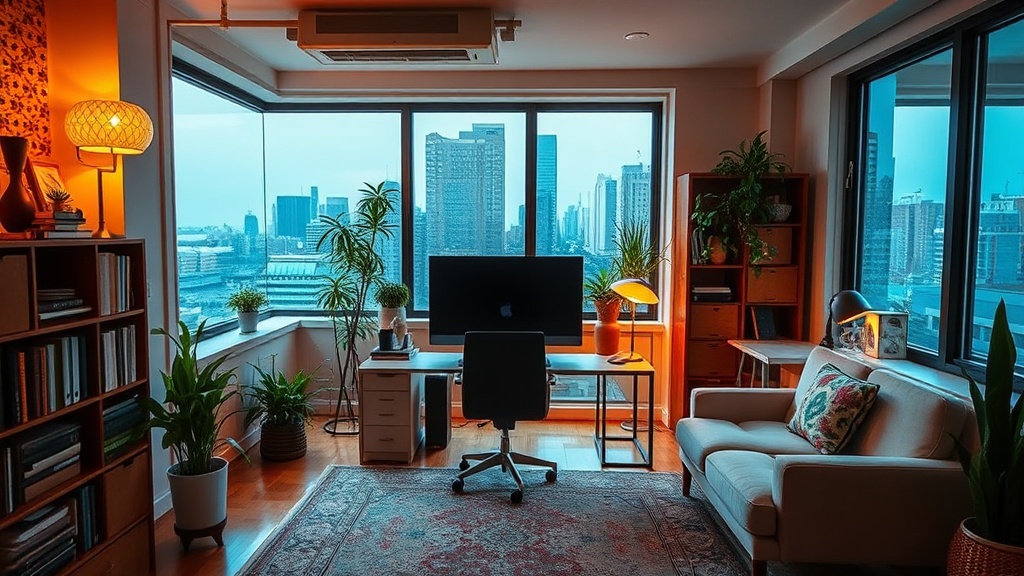
Setting Up Your Home Office Near Boulevard Saint-Charles

Imagine you're sitting in a small cafe near the corner of Saint-Charles and Skirt, trying to finish a report, but the Wi-Fi is spotty and your laptop battery is dying. You realize that while Saint-Lambert offers beautiful scenery, our homes need to be properly configured to handle the modern workday. Whether you're working from a century-old house near the Gare Saint-Lambert or a newer condo near the waterfront, creating a productive space requires more than just a desk and a chair. We're looking at how to optimize your indoor environment to stay focused without leaving our beautiful streets.
Setting up a workspace in Saint-Lambert often means dealing with the quirks of older architecture. Many of our homes feature high ceilings and large windows, which provide great natural light, but can also lead to glare on your screen during the afternoon. If you live in the older residential areas near the village, you might find that thick walls make your Wi-Fi signal struggle to reach the back rooms. We've seen so many neighbors struggle with connectivity issues when trying to work from their home offices in the more historic parts of town.
Where is the best place to set up a desk in my house?
The location of your desk is the first thing you should consider. If you live near the bustling center of Saint-Lambert, you might want to avoid a room that faces the main street to minimize the sound of passing cars and buses. Instead, look for a space that faces your backyard or a quieter side street like Rue de l'Église. A room with a view of the greenery provides a mental break during long calls, but you need to ensure the lighting won't cause eye strain. If you find yourself squinting at the screen, try to position your desk perpendicular to the window rather than directly facing it or having it directly behind you.
For those of us working in smaller apartments or townhomes, vertical space is your best friend. Instead of a massive desk that eats up your living area, consider a wall-mounted shelf or a compact workstation. This keeps your floor space clear, making your home feel less like an office and more like a living space. In Saint-Lambert, where many of our homes have character-rich but compact layouts, being smart with your footprint is a way to maintain a sense of balance between professional and personal life.
How do I fix poor internet connectivity in my Saint-Lambert home?
Since many of our neighborhoods feature older construction, signal penetration is a real issue. A standard router might work fine in the living room, but once you move to a home office in a rear bedroom, the signal drops significantly. To fix this, you might consider a mesh Wi-Fi system. These systems use multiple nodes to blanket your entire home in a stable signal, which is much more effective than a single powerful router if you have thick, older walls. You can find many tech solutions at local electronics retailers or through online specialists like PCMag for reviews on the best hardware.
If you're a heavy user who needs consistent speeds for video conferencing, a hardwired connection is always the safest bet. Running an Ethernet cable from your router to your workspace is the most reliable way to avoid the dreaded "can you hear me now?" moment during a meeting. If you can't run cables through your walls, a high-quality powerline adapter can sometimes bridge the gap. This device sends the internet signal through your home's electrical wiring, which is a clever way to bypass the structural obstacles found in many of our Saint-Lambert residences.
What equipment do I need for a comfortable workspace?
Comfort is often overlooked until you're dealing with a sore back after four hours of sitting. A high-quality ergonomic chair is a non-negotiable investment. Since we live in a community that values quality, it's worth looking for a chair that offers lumbar support and adjustable armrests. Don't just settle for a kitchen chair—your spine will thank you later. If you're looking for inspiration on ergonomic setups, the Healthline resources on posture are quite helpful for understanding why certain positions matter.
Beyond the chair, consider your peripherals. A separate keyboard and mouse allow you to keep your laptop at eye level, which prevents the "tech neck" many of us experience. A laptop stand is a simple, inexpensive way to elevate your screen. Additionally, if your home office is in a room with high ceilings, you'll likely need more task lighting. A dedicated desk lamp with adjustable brightness and color temperature can help combat the dimness of a cloudy Quebec afternoon. This keeps your focus sharp and reduces eye fatigue during those long winter months when the sun sets early in Saint-Lambert.
Lastly, don't forget about cable management. A desk cluttered with wires is a cluttered mind. Use clips, sleeves, or even simple velcro ties to keep your cords organized. This isn't just about aesthetics; it's about safety and keeping your workspace clean. Whether you're working from a quiet corner of your home or a dedicated room, a tidy environment helps maintain the mental clarity needed to get through your daily tasks without feeling overwhelmed by your surroundings.